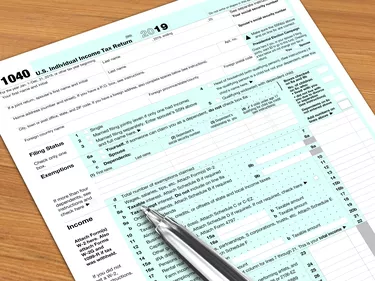
You have two basic methods for getting 1099 forms from previous years. Whether or not you can even get them will depend on whether you are the issuer or whether you are requesting a Form 1099 you received. Reviewing the steps for obtaining this form from a previous tax year will help you get what you need in the shortest timeframe possible.
Video of the Day
Video of the Day
Issuer vs. Recipient
One of the key factors in determining whether or not you can get a previous 1099 and how to do it will depend on whether you issued the form or received it. If you are looking for a 1099 you received, you might not be able to get it from the IRS. That's because you are not required to attach a 1099 to your tax return when you file. This is the opposite of a Form W-2 you receive as an employee and need to submit with your filing.
If you are the issuer, you can contact the tax preparer you used to do your return, or contact the IRS for a copy of your tax return for the year you want the 1099.
Read More: W-2 Forms: What It Is, Who Gets One & How It Works
Contact the Issuer
If you are looking to get a copy of a 1099 you received from a client or other issuer, contact that party. You will most likely need to give them your name, Social Security number or Employer Identification Number, mailing address, vendor number and other information they need to verify that you are the party requesting a specific 1099.
If the person or business that issued the 1099 is no longer around and you know which tax preparer they used to do their returns, you might be able to contact them and get a copy of the 1099 they mailed to you. People and companies are required to get your 1099 (and W-2) to you by January 31 each year. Make a habit of recording the address or other contact information of the company that sent you your 1099.
If you are the 1099 issuer contacting your tax preparer, be prepared to give them your client information so they can identify you.
Contact the IRS
You can contact the IRS to try and get a copy of an old 1099. Copies of tax returns are available for up to seven years previous. They are free for the most recent tax years and cost $43 for other years. If you are looking for an old 1099 you received and know or think you attached it to your tax return, request IRS Form 4506-T. This is a request for a previous tax return.
You can download the form from the IRS website, or call or email the IRS to request a hard copy. Follow the directions included with the form to fill it out correctly. You might need Adobe Acrobat Reader or Apple's Preview to open and use the PDF file once it's on your computer.
The form 4506-T directions provide the correct address (based on where you live) for you to mail in or fax your completed form. You might have to wait weeks or more than a month for a hard copy via U.S. mail. Look for an IRS office near you, which can speed things up.
If you don't mind a (possible) long phone wait time, you can call the IRS at 800-908-9946. The IRS website states that returns requested using this method should only take five to 10 days to arrive. Be careful to request a copy of your tax return, rather than just a tax transcript, which is a summary of your key tax return numbers. A transcript won't include a copy of a 1099 you attached, but it might include your 1099 income information.