

Chlorine Tablets for Heating & Air Conditioner Duct Work

Chemical products serve many practical purposes around the home. Chlorine tablets are primarily designed for swimming pools, but are used with air conditioners or HVAC system ducts for cleaning. Chlorine tablets used with air conditioning units help keep the air within your home free of odors, allergens and potentially toxic microorganisms growing in your AC unit or heating and air conditioning ducts.
Purpose
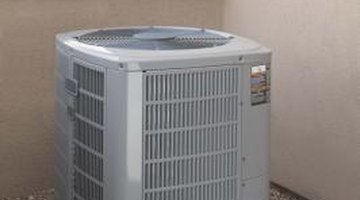
Chlorine tablets dissolve when exposed to moisture. As they dissolve, the release free chlorine. This release prevents organisms, such as mold, bacteria and fungi, from growing in the moist environments they favor. Preventing the growth of mold, bacteria and fungi in your heating and air conditioning duct work helps keep your home free of any odors and allergens arising from this growth, as well as potential disease.
Buying Tablets
Very few companies produce chlorine tablets specifically for use with air conditioners and air conditioning duct systems. Accepta, a self-described “advanced environmental technologies” manufacturer, produces tablets for air conditioning use, although these tablets go by the name “biocide” and contain many ingredients besides chlorine. Any chlorine tablet may be used in an air conditioner or duct system, regardless of its intended purpose. Pool supply stores sell these tablets, usually in large buckets containing dozens of tablets.
Using Tablets
Chlorine tablets require exposure to moisture to dissolve and activate. Carefully and deliberately place your chlorine tablets in your air conditioning ductwork, rather than just throwing them in anywhere. An air-conditioning duct contains an area where the majority of the moisture generated by the system collects, usually called a condensation or evaporator pan. Placing the chlorine tablet in this area ensures the tablet dissolves and works to maximum effect. Find this area by looking through your HVAC system manual or contacting its manufacturer.
How It Works
Chlorine tablets prevent the growth of organisms and bacteria by attacking their cell walls as they develop. As bacteria begin developing, the chlorine in the water continually breaks down the cell walls, preventing them from developing beyond individual cells. Continued attacks eventually kill the bacteria.
References
Writer Bio
Will Gish slipped into itinerancy and writing in 2005. His work can be found on various websites. He is the primary entertainment writer for "College Gentleman" magazine and contributes content to various other music and film websites. Gish has a Bachelor of Arts in art history from University of Massachusetts, Amherst.
Photo Credits
- Jupiterimages/Comstock/Getty Images
More Articles

