

How to Fix Reverse Polarity in Phone Wiring

There are times when the polarity of your phone line matters, even today. Simply put, reverse polarity means that the two wires that carry your dial tone are improperly connected at the phone jack.
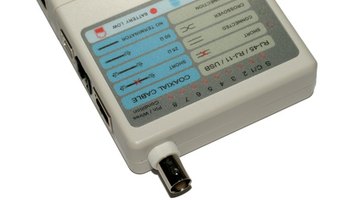
Warning
Be sure to grab one wire at a time. Telephone lines are low-voltage lines, so they won't seriously injure you. If you do happen to be holding onto both wires when someone tries to call you, you will get an unpleasant jolt.
Though most phones can work regardless of this, reverse polarity can affect the proper functioning of equipment such as satellite television receivers and alarm systems. Fixing reverse polarity isn't something you have to pay the telephone company to fix for you.
-
Remove the screws from the faceplate of the phone jack with the screwdriver.
-
Ease the jack away from the wall. You don't want to inadvertently pull out any wires before you see where they are connected.
-
Observe the back of the jack. Most jacks will have four colored wires: green, red, yellow and black. The incoming telephone cable that carries your dial tone and connects to the phone jack should be connected to the green and red terminals.
-
Loosen the screws that fasten the telephone wires to the back of the phone jack.
-
Switch the two wires around. Wrap the exposed copper end of the wire that was attached to green terminal to the red, and vice versa.
-
Tighten the screws slowly. Inspect to make sure the wire stays in contact with the screw as you tighten it.
-
Replace the jack and screw it back into the wall.
-
Verify your connection by plugging in a known, working telephone and checking for dial tone.
Photo Credits
- testeur de cable image by serge simo from Fotolia.com
- testeur de cable image by serge simo from Fotolia.com
More Articles

