How to Make an L-Shaped Wall Desk and File Cabinets
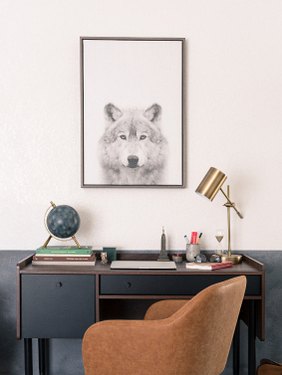
An L-shaped desk can fit perfectly into the corner of your room, opening up the room and giving you more space for other furniture. An L-shaped desk is a good option for a student computer desk. The shape will give the student enough space for a computer and printer as well as a place to write and place textbooks. Build a desk in an afternoon with a few pieces of wood and two filing cabinets.
Things You'll Need
- 2 pieces of 3/4-inch plywood, 4-feet by 8-feet
- Chalk line
- Jig saw
- Fine-grit sandpaper
- Cloth
- Stain or paint
- Paintbrush or foam roller
- Drill
- 2 V-shaped brackets with coordinating screws
- 2 filing cabinets
- 6 L-shaped brackets with coordinating screws
Instructions
-
-
1
Lay 2 pieces of 3/4-inch plywood, 4-feet by 8-feet, on the ground so the 8-foot size is horizontal. Run a chalk line diagonally on the end of one of the pieces. The chalk line will start at the top corner and run diagonally about 6 inches from the bottom corner. Cut the line with a jig saw. Do this for the second piece so the two fit together to form a right angle.
-
2
Sand the sides of the plywood with the sandpaper to eliminate the rough edges. Wipe with a dry cloth. Stain or paint your plywood. Let the pieces dry overnight.
-
-
3
Place the plywood pieces face down on the ground. Line the diagonal sides up to form a right angle. Screw a V-shaped bracket on the top and the bottom edges on the joint.
-
4
Position the filing cabinets against the wall where they will support the ends of the desk. Place the plywood top onto the cabinets. Adjust the top so it is flush with the wall. You may have to reposition the cabinets so they support the top better.
-
5
Screw L-shaped brackets into the wall underneath the desk and beneath the desktop to secure to the wall. Evenly space three L-shaped brackets per piece of plywood.
-
1
Tips & Warnings
Hardwood such as maple, oak or poplar work well for L-shaped desks. You may have to get the plywood cut down to 4-foot by 8-foot pieces.
- Photo Credit Hemera Technologies/AbleStock.com/Getty Images