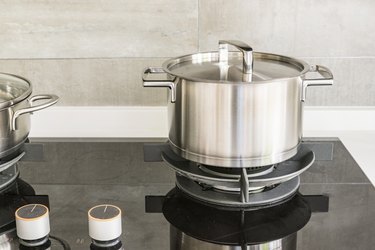
A Bosch gas stove is a quality appliance that will continue to cook delicious food throughout its lifetime. Gas stoves are preferred by many for their direct heat and sensitivity, but they require care and upkeep. In order to keep your Bosch stove working perfectly, it's important to understand the problems that can occur and how to troubleshoot them. For instance, if your gas stove burner is not working properly, there are certain techniques you can try before calling a repairperson.
Gas Stove Safety Considerations
Video of the Day
Gas stoves require careful handling to ensure everyone in the kitchen stays safe. Because gas stovetops present open flames, it's important to develop good habits in the kitchen to prevent injury from burns or hot liquids, as well as to avoid kitchen fires.
Video of the Day
The first step in fire safety is to ensure your smoke detectors are working properly. Also, be sure a carbon monoxide detector has been installed. Carbon monoxide (CO) is poisonous, and has no color or smell to warn you of its presence. Gas combustion can lead to carbon monoxide emissions, so make sure you're monitoring the air for CO, as well as smoke.
Always have a small fire extinguisher available. Stove fires can be dangerous and should not be put out using water. Kitchen extinguishers are available at most hardware stores and should be close by in case of a fire.
Make sure to clean the stovetop burners regularly. Grease, spills, and kitchen debris can all catch on fire once the burner is on. Be sure to remove the plates and clean the igniters, as well. The stove's manual should include specific information on how to do so. Also, keep a clean space around the stove. The heat from gas burners can melt or burn any plastic or papers in the vicinity of the stove.
Clean the oven regularly, because spills and drips can also catch fire inside the range, as well. If your model has a pilot light, check it regularly. An extinguished pilot light can lead to a slow gas leak into the room.
When lighting a burner, never allow the gas to flow without ignition for more than a few seconds. If the burner doesn't light immediately, turn the gas off and wait a few minutes before trying again. Filling the kitchen with unlit gas creates a serious hazard.
Be sure to monitor the oven or the stovetop when cooking. Keep children away from the oven, and don't leave pan handles extended out where they can be bumped or grabbed, spilling hot food and liquids onto the body. Use the back burners when available, and don't leave the stovetop unattended for long periods.
Use oven mitts when appropriate, and keep in mind that gas stoves put out more heat than electric ones. Check the handles of pots and pans to make sure they are safe to touch.
In addition, remember that the gas that makes the stove so convenient is flammable and potentially explosive. If there is ever the smell of gas in the kitchen or nearby rooms, do not light the stove. Check the connections to identify and isolate the leak, then fix it or call for a repairman. If the smell of gas is strong, exit the house and call 911. Gas leaks can happen and can cause serious damage and injury, so if you ever smell gas, better safe than sorry.
Bosch Gas Range Igniter Problems
Your gas stovetop uses an igniter at each burner to light the gas. When turning on the burner, you'll hear the quiet sound of the gas being released, followed by the clicking of the igniter. Ideally, the burner will light instantly, allowing you to adjust the flow of the gas so that the burner flame is at the level you want for cooking. This is proper operation of the Bosch stove. If that is not possible, you should look into a Bosch gas cooktop igniter replacement.
Continued Clicking and Sparking
Sometimes, the igniter continues to click and spark even after the flame has been lit. This is a sign of a malfunctioning spark module — the electronic piece of the stove that senses the status of the burner and turns the igniter on or off as needed. If you hear this continuous clicking sound when attempting to cook, turn off all burners immediately.
If the sound continues, try to identify the igniter that has been affected. In Bosch stoves, there's usually one main spark module for the stovetop and two for the oven, for the main burner and broiler, respectively. You can attempt to turn off power to the stove or unplug it for a minute, and then turn the stove back on to see whether a reset fixes the continuous clicking. However, this may not always work, and a malfunctioning igniter is a serious issue that should be managed immediately.
Once you've identified the burner, you'll want to unplug the oven and shut off the gas supply to avoid any potential leaks or ignition. The oven should be off and unplugged during any replacement work. The spark modules in Bosch ovens are available directly from Bosch or at hardware stores that stock Bosch parts. If you're handy, you can replace the spark module yourself following the instructions in your oven manual and on the package. A certified technician or handyman will also be able to easily replace the spark module so that your oven can work properly.
Failure to Ignite
Sometimes, the igniter fails to light the gas from the burner. You may hear the clicking sound as the igniter attempts to spark, but the gas never catches fire. If the burner hasn't lit after a few seconds, turn the gas off, no matter what.
Allowing the gas to fill the air space in the kitchen is a serious fire and explosion hazard. Give the gas a few minutes to disperse, then try to light the burner again. If ignition still fails, attempt to light another burner to determine whether the problem is isolated to one burner, or if it's a central part failure. If the other burners are sparking appropriately, the spark ignition switch on the faulty burner is the likely culprit and needs to be replaced. Otherwise, it could be the spark module itself or an electrode that has worn out.
Maintenance Tips and Safety
Be sure to unplug the stove and turn off the gas before doing any maintenance. Check the faulty burner to make sure everything is clean, as buildup can affect the function of the ignition switch. Again, the spark modules, ignition switch and electrodes can be purchased from Bosch or from a hardware store. Replacements can be installed at home or by a certified technician.
Your Bosch oven's manual and provided literature should have specific directions on where to find the igniters on the stovetop and inside the oven. Bosch's customer support can help you identify any problems that are occurring with the igniters.
It's important to remember that a gas stove has its own internal hazards that need to be managed appropriately. Properly caring for the stove and oven — keeping parts clean and free of debris, using proper cookware and utensils and so on — will make troubleshooting problems much simpler. With a few basic steps and some safety awareness, you'll have your gas stove back to proper operation in no time.