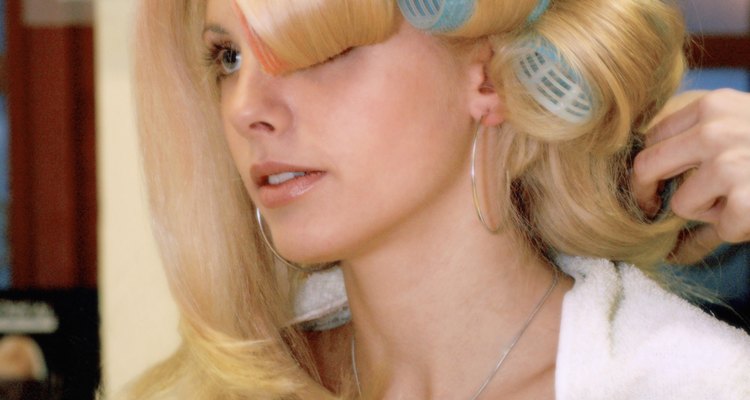
If Velcro rollers leave you with a hair-raising experience, it's time to switch up your technique. While there are benefits to using this heatless curling option, the downside is that the tiny bristles on Velcro rollers can easily tangle, or worse, break off your hair when you unroll them. The key to using Velcro rollers for bouncy, smooth locks is to use the correct products before you roll and then take your time in letting your hair down.
Step 1
Comb your partially dry hair starting at the ends and working your way to the scalp. Remove all tangles so the comb easily glides through your hair.
Step 2
Start at the crown and gather a 3-inch section. This is the place where most woman can use a lift. Apply a texturizing or volumizing spray to the strand. Blow-dry the roots of the strand briefly.
Step 3
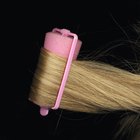
Place a Velcro roller at the end and press the roller into the hair. Using both hands, carefully and evenly roll your hair around the roller upward to the roots. Gently squeeze the roller when it reaches the scalp. This helps to keep the Velcro in place. Add a clip at the base of the roller for additional support.
Step 4
Continue grabbing 3-inch sections, spraying with texturizing or volumizing spray, blow-drying the roots and rolling the Velcro curlers to the scalp so that all your hair -- or the desired portion -- is up in rollers.
Step 5
Wait a half-hour. Start at the nape of the neck and slowly unroll the first curler with two hands while extending the hair as you go. This extending motion is what keeps the hair from tangling. Repeat around the entire head.
Step 6
Flip your head over. Slowly rake your fingers through your hair for loose curls or massage your fingers into the scalp if you want tighter curls.
Related Articles

How to Use a Volumizing Finger Diffuser
How to Straighten Your Weave

How to Straighten Short Curly Hair in ...

How to Create Spiral Curls With a ...
How to Do a Perm Step-by-Step

How to Get the Look of Dreads Without ...

How to Perm Curl the Roots of Hair

How Long to Keep Heat Rollers in Hair?

How to Keep Extensions From Falling Out

How to Use Sponge Rollers to Make ...

How to Do a Blow-Dry Wrap

How to Blow-Dry Hair Straight With a ...
How to Do the Beach Wave With Hot ...
How to Curl Hair With Foam Rollers
How to Curl Kanekalon

Directions for Cutting Hair With a ...

Velcro Rollers Vs. Hot Rollers

How to Glue in Tracks on Black Hair
How to Use Sponge Rollers to Make Cheer ...

How to Curl a Pixie Cut
References
Tips
- For a quicker curl, blow-dry the curlers on medium heat for five minutes. Let your hair cool and then remove the curlers.
Warnings
- Refrain from unrolling with one hand or going quickly. This causes hair to snarl and frizz.
Writer Bio
Based in Los Angeles, Lisa Finn has been writing professionally for 20 years. Her print and online articles appear in magazines and websites such as "Spa Magazine," "L.A. Parent," "Business," the Famous Footwear blog and many others. She also ghostwrites for mompreneurs and business owners who appear regularly on shows such as Ricki Lake, HGTV, Carson Daly and The Today Show.
Photo Credits
Medioimages/Photodisc/Digital Vision/Getty Images