
The casio telememo 30 is a multifunction wrist watch that allows you to save the names and telephone numbers of up to 30 people. In addition to the Telememo function, Casio Telememo 30 watches offer accurate digital and analog timekeeping, as well as features such as multiple alarms. Despite all of its features, learning to use your Casio Telememo 30 wrist watch is a simple process that takes just minutes.
Set the digital time on your Casio Telememo 30 watch. Press and hold the top left button until the seconds digits flash, indicating that you have accessed the time-setting screen. Press the bottom right button to reset the seconds to "00" and then press the bottom left button to advance the flashing to the hours digits. Adjust the hours digits to the desired time using the top and bottom right buttons. Press the bottom left button to advance the flashing to the minutes digits, and set them to the desired time with the top and bottom right buttons. Press the top left button to exit the time-setting screen.
Set the analog time on your Casio Telememo 30 wrist watch. Press the bottom left button six times in quick succession to access the hand-setting mode on the watch. Press and hold the top left button until the digital time display begins to flash, indicating that you have accessed the analog time-setting screen. Press the bottom right button repeatedly to advance the hands by a few seconds each time; hold down the button to advance the hands more quickly. Release the button when the watch hands reflect the desired time. Press the top left button to exit the settings screen and the bottom left button to return to regular timekeeping mode.
Save a new Telememo record in your Casio Telememo 30 watch. Press the bottom left button to access the Telememo mode. Press and hold the top and bottom right buttons to access the new data screen. Hold down the top left button until a blinking cursor appears in the name field. Use the top and bottom right buttons to scroll through the alphabet until the desired letter is displayed. Press the bottom left button to move the cursor to the right. When the name is finished, press the bottom left button repeatedly until the cursor moves to the number field. Use the same process that you used to input the name to input the telephone number. Press the top left button to save the data.
Review previously saved Telememo records on your Casio Telememo 30. Access Telememo mode by pressing the bottom right button repeatedly. Press the bottom right button to scroll through the Telememo records. Note that only the name is displayed for each record; press the top left button to view the related number.
Set an alarm on your Casio Telememo 30. Press the bottom left button to access the alarm mode. Press the bottom right button to select which of the three alarm screens you want to set. Press and hold the top left button to enter the settings screen for your chosen alarm. Use the top and bottom right buttons to set the alarm to the desired time. Press the top left button to save your alarm and exit the settings screen.
Related Articles

How to Work a Swiss Ronda 5040 D ...

Casio Illuminator Instructions
Casio Waveceptor 2735 Instructions
Citizen Promaster Instructions
How Do I Set Up My Casio Calculator ...
How Do I Change the Timezone on My ...
How to Set the Time on a Casio AW-80
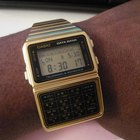
Casio Telememo 30 Instructions

G-Shock Instructions
Instructions for a G-Shock 2688 ...
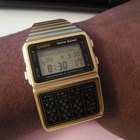
Casio Databank Instructions
Freestyle Predator Watch Instructions

How to Set the Alarm on The Timex ...

Casio Wave Ceptor Instructions

How to Adjust a G-Shock Watch
Stauer Hybrid Watch Instructions
Timex Expedition Indiglo Instructions
Instructions for a Casio AW590 Watch
How to Set a Stauer Watch
How to Set a Casio G-Shock
Writer Bio
Megan Mattingly-Arthur has been writing professionally since 1998. She has contributed to various publications, including "Teen Voices" and "Positive Teens" magazines, as well as a book, "The Young Writer's Guide to Getting Published." Mattingly-Arthur is studying travel and tourism through Penn Foster Career School.
Photo Credits
Jupiterimages/Brand X Pictures/Getty Images