
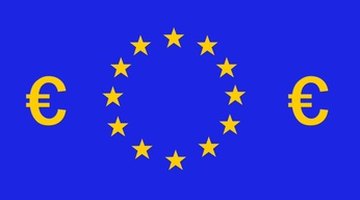


The euro is a currency used by many of the member states of the European Union, or EU. Not all EU member countries use the euro as their basis of trade, and notably, the United Kingdom, or UK, has elected to keep its own currency, Sterling, and does not use the euro as its national currency. The initial member countries electing to use the euro, including Germany and France, introduced the currency on 1 July, 2002, at which time their individual currencies, such as the Mark and the Franc, ceased to exist.
Banknote Security
Euro banknotes contain features that aim to make it difficult to make realistic copies of them. If you have a euro banknote and want to check that it is genuine, you should first feel the surface of the note. The print on genuine euro notes is raised, and the lettering of the initials of the European Central Bank, along with the numerals indicating the value of the note, will have a slightly rough feel. Hold the note up to the light to check for a see-through register, a security thread and a watermark. The watermark appears in the non-printed areas of the paper and features an architectural image. The security thread is embedded in the paper during the banknote manufacturing process and shows as a dark line, running from the top to the bottom of the note. The see-through register can be found in the top left corner of the front of the note. Shapes are printed on the front and the back of the note, so that when the note is held up to the light, they show as a complete numeral.
Design and Denomination of Coins
Coins of the euro currency are the responsibility of member governments, and individual governments are allowed to create coins bearing nationally relevant images, surrounded by the 12 stars representing the EU. Whenever a country wishes to issue a coin with a new image, it must inform the European Central Bank, which then publishes the details of the new coin in the Official Journal Of the EU.
While each euro coin has a side bearing the design of the country that issued it, all coins have a common side that must be the same for all issuing countries. The image on the common sides of the euro coins was designed by Luc Luycx, from the Belgian mint.
Euro coins come in eight denominations, representing 1, 2, 5, 10, 20 and 50 cents, along with coins representing 1 and 2 euros.
Banknote Features
Euro banknotes are available in denominations of 5, 10, 20, 50, 100, 200 and 500. Each denomination comes in a specific color to make them easy to identify quickly, and each denomination contains images representing a specific architectural style. For example, all 20 euro notes are predominantly blue in color and feature architectural images in the Gothic style. All 500 euro notes are purple and contain images representing modern 20th Century architecture.
Related Articles







Resources
Writer Bio
Peter Lancett has been writing professionally for 10 years. He has five novels and a series of award-winning illustrated books currently distributed internationally. Lancett writes for film and television alongside his work for Demand Studios. He has traveled extensively and has lived in England and New Zealand.