

How to Use a Magic Chef Oven

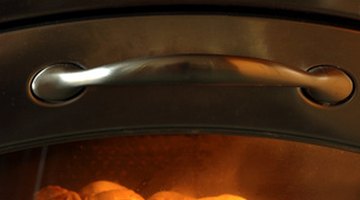
Whirlpool Magic Chef makes several models of gas ovens with a pilotless ignition. This means you never have to worry about lighting a pilot manually--the oven uses an electronic system to ignite the gas. The Magic Chef oven is easy to use for all of your baking and broiling needs. A few Magic Chef oven instructions will get you started.
Warning
The timer does not control the heating of the oven. Then oven will not work during a power failure or if it is unplugged.
Setting the Clock and Timer
-
Press "Clock" until the oven beeps once.
-
Press the up and down arrows to set the correct time. Press the arrows to change the time in 1 minute intervals, or press and hold the arrows to change the time in 10 minute intervals.
-
Press "Clock" to return to the time of day when the oven is in timer mode.
-
Press "Timer" until the oven beeps once.
-
Press the up and down arrows to set the correct baking time on the timer. Press the arrows to change the time in 1 minute intervals, or press and hold the arrows to change the time in 10 minute intervals. Three beeps sound at the end of the timer cycle, and one beep sounds every 10 seconds until the timer is canceled or 10 minutes has elapsed.
Setting the Oven
-
Place the oven racks in the desired position in a cool Magic Chef oven.
-
Push the oven temperature knob in, and turn the dial to set the desired temperature.
-
Place your baking dish of food in the center of the oven, at least 2 inches away from each oven wall.
-
Close the oven door, and do not open it frequently, as that will increase the cooking time of your food.
-
Push the oven temperature knob in, and turn the dial to set it to "Off" when your food is done.
The Drip Cap
- Whirlpool Magic Chef makes several models of gas ovens with a pilotless ignition.
- Press "Clock" until the oven beeps once.
- Press the up and down arrows to set the correct baking time on the timer.
- Place the oven racks in the desired position in a cool Magic Chef oven.
Writer Bio
Mary McNally has been writing and editing for over 13 years, including publications at Cornell University Press, Larson Publications and College Athletic Magazines. McNally also wrote and edited career and computer materials for Stanford University and Ithaca College. She holds a master's degree in career development from John F. Kennedy University and a bachelor's degree from Cornell University in counseling.
More Articles

