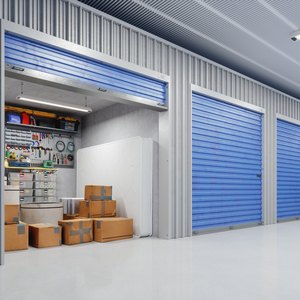


Unclaimed treasure hiding inside storage units could be your next investment opportunity. Yes, unpaid storage units that aren't claimed by their owners actually go into foreclosure. If you've seen “Storage Wars” on television, you may be wondering if you can make a living bidding on storage units.
The public can access foreclosed storage units for sale to get ahold of valuable and rare items. While this is an unconventional investment approach, it can actually be a very exciting and lucrative way to earn extra money by obtaining valuable items that technically never make it to the market. Take a look at the process for how to invest in foreclosed storage units for sale.
Why Do Storage Companies Sell the Contents of Storage Units?
The simple answer is that a storage company has to make money to continue to be a top storage company. They simply can't allow items to linger in storage units if lessees don't pay their monthly bills. This is why storage companies actually add clauses to their contracts that allow them to sell the contents of storage units if lessees don't pay their bills.
Typically, a person has a few months to catch up with unpaid storage bills before a unit goes into foreclosure. If the deadline comes and goes without a payment, the storage company then moves forward with selling the contents of a locker through either an auction or direct sale.
How to Find Foreclosed Storage Units for Sale
Next, it's time to come up with a strategy for how to buy abandoned storage units. The easiest way is to simply contact storage facilities in your local area to ask about upcoming auctions.
A top storage company with many units will actually host an auction anywhere from once a month to once every three months. Smaller storage companies tend to host one or two big auctions per year. You can also ask if a storage company does direct sales to people who want to buy abandoned storage lockers.
How Do Storage Unit Auctions Work?
Most auctions for storage units are free to attend. You should be prepared to show up with cash at the start of the auction. It's also smart to bring a large truck or trailer because most storage companies require auction winners to remove the contents that they've purchased right away.
Show up early. You don't want to arrive as the bidding is starting because you'll miss out on an important opportunity. In most cases, a top storage company will actually open the locks on the units that are being auctioned off prior to bidding. While you won't be allowed to actually open up boxes to view what's inside, you can get an idea of how full or empty each unit looks based on that quick glance.
The actual auction typically consists of live bids with set starting prices. The bidding will go on until there is a highest bidder.
What Happens After You Win Foreclosed Storage Units for Sale?
If your bid is accepted, you will be required to pay for your unit on the spot. There is no way to finance a foreclosed storage unit, so most facilities will only accept cash payments for storage unit auctions. If you have a reseller license, you won't have to pay sales tax on your purchase. However, you should be prepared to add sales tax to the cash amount you pay if you don't have a reseller license.
If you are the winning bidder on a storage unit, the storage facility will provide you with a window of time for removing your property. Keep in mind that the window is typically very short due to the fact that the storage facility is eager to begin renting the unit out again for profit.
References
Tips
- Always confirm that a sale is still scheduled before traveling to the facility. The auctions are subject to change or cancellation without notice.
- Bring a large truck or trailer to the auction in case you need to haul large items such as furniture.
Writer Bio
Adam Luehrs is a writer during the day and a voracious reader at night. He focuses mostly on finance writing and has a passion for real estate, credit card deals, and investing.