Silk screening is a printing technique that involves burning negative images into a silk-based or synthetic screen with emulsion fluid and light. Once the image is burnt into the screen, ink is spread over the screen and pushed through to the material below. You can silkscreen on nearly any surface, including paper, fabric and even plastic. Printing images on plastic requires a special process to ensure that the ink properly adheres to the slick surface.
Video of the Day
Things You'll Need
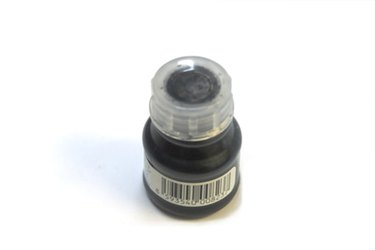
Printing Ink
Masking Tape
Transparency
Silk Screen
Roller
Step 1
Prepare your screen. Once you have decided on your image, print it out on a clear transparency. To do a print with more than one color, you will need to create individual screens for each color. Separate each color on a different transparency.
Video of the Day
Step 2
Mount your plastic in place so it does not shift during printing. Place masking tape at each corner of the plastic and secure it to a flat surface below. Masking tape is durable, but will not damage the surface or plastic.
Step 3
Draw registration marks on the plastic. This will ensure that your ink is placed in the right area for each print. This is especially important if the plastic is raised and cannot be inserted into a screen press with hinges that press flat against the image.
Step 4
Position your screen over the top of the plastic. Tape it in place for extra stability.
Step 5
Apply a layer of ink over the top of your image in a straight horizontal line. Use a roller to charge your ink and spread it slowly over the design. Traditional printing involves pulling a squeegee over the surface to spread the ink. This is an option for printing on plastic, but use even less ink than with prints on fabric if you do it this way. Do not push too much ink through the screen, or the colors will bleed over and smear the image.
Step 6
Remove your screen very slowly from the top of the plastic. Because the material is slick, the ink is more likely to smear. Allow the ink to dry for several hours before moving the plastic.