Access enables you to sort and filter your data using any number of data fields. Whether the data you sort is in a table or is the result of a query, the user interface is the same.
Step 1
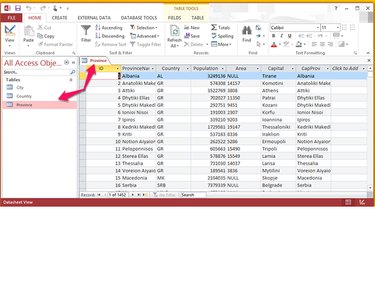
Open your database in Access. In the left column, display the data you want to sort by double-clicking the name of the table containing the data. For example, the data in the Province table below contains data on each country and its provinces. The sample data is courtesy of The MONDIAL Database, Institute for Informatics, Georg-August-Universität Göttingen.
Video of the Day
Step 2
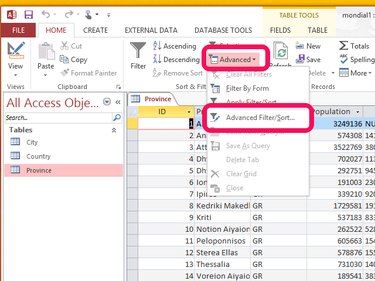
Select Advanced from the Database Tools section of the ribbon bar and then choose Advanced Filter/Sort...
Step 3
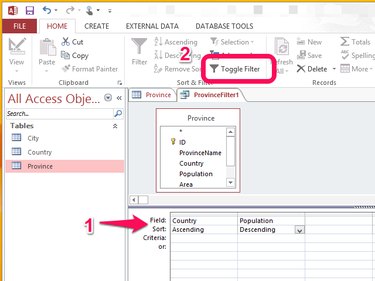
For each level of sort you want, choose the data field by which you want to sort in the Field row, and then choose Ascending or Descending in the Sort row. Select Toggle Filter to apply the sort to the data table. The example below sorts the province data alphabetically by country and then by population within country, largest to smallest.
Step 4
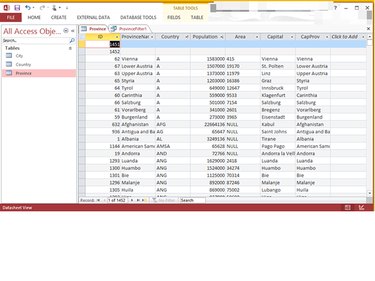
Review the data to ensure it's sorted properly, and modify your sort and filter conditions as necessary.
Video of the Day