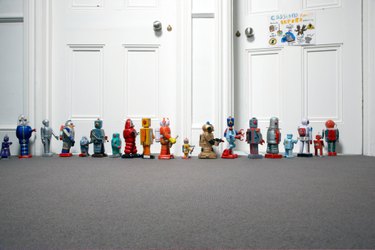
Creating a personal search bot helps you find the best websites based on your search criteria. For example, limit the personal search bot to find only factual references or a specific location.
People use this type of bot to find websites that contain exactly the type of information they want. A search engine like Google shows millions of websites based on "keyword" relevance. In contrast, the personal search bot will find websites that are a good match based on an individual's personality and knowledge.
Video of the Day
Video of the Day
Personal search bots started as a research project by Mark Zeman as part of a Master's in Design at Massey University. The research tested the impact that the Internet has on collaboration between groups of people and the information they exchange.
Step 1
Create a search bot at Searchbots.net (see Resources). On the website click "Start Building Your Searchbot Now!" and design the bot. This is akin to creating a visual image, or avatar for your bot. Use the interface to drag and drop different images and create a personalized robot. Name your search bot in the Name field.
Step 2
Tweak the colors of your search bot image. Move the mouse pointer around the palette and see the changes immediately in the robot image on the left-hand side of the Web page.
Step 3
Choose a personality for the search bot by selecting one of two data chips (images of floppy disks) that appear on the screen. The text that appears with the data chip image reflects the bot's personality. Choose one chip and drag it across the webpage to the image of the robot and drop to activate.
Step 4

Provide a brain cloud. The brain cloud is the artificial intelligence (AI) of the search bot. To provide this cloud, enter words, one at a time, in the "Add word" box. The words appear in the cloud image below the text box. Move the words around in the cloud according to your priority. For example, if you are creating a personal search bot to learn more about "social networking" you might include words such as Facebook, social media, social network and friends. The words you add should reflect topics and subjects about which you are knowledgeable.
Feeding the search bot is done through data chips -- small labeled images of floppy disks – that allow you to customize your search bot to perform search queries based on tags, location, questions, color and other personal specifications. These chips are displayed in a graphical interface where you simply drag the chip image over to the search bot you created and drop it to activate.
As you provide more custom details, keywords, tags and information to your personal search bot the more customized and relevant the search results become – based on your specifications. When the bot discovers new search results, you will receive an email alert.
Step 5
Save your personal search bot, provide your name and email address in the form on the website and select "Go" to submit your information. You will also be asked to join the research project by clicking the option check box.