How to Determine if I need a TV Tuner for a Media Center PC

By eHow Computers Editor

Rate: (1 Ratings)

A TV tuner card allows you to play TV programs on your computer monitor just as you would on a TV. Most manufacturers who provide Windows Media Center PC include a TV tuner card in the package. If your PC isn't packaged with a TV tuner card, you need to buy and install it to use your computer to record, watch, pause and rewind live TV programs.

Instructions

Difficulty: Moderately Easy

Step1
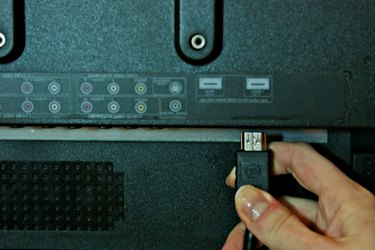
Check if your Media Center PC already has a pre-installed TV tuner. You can do this by connecting your PC to the TV signal and receiving the signal either from the antenna or the satellite TV. The tuner internal or attached externally to the PC. If it is included with your PC, it is most likely be an internal component.
Step2
Verify the connection. If a TV tuner is installed, then you should be able to receive the signal and use your PC as TV. If not, your PC will give you a message "TV tuner NOT FOUND” or “missing hardware component.”
Step3
Refer to the hardware documentation you received with the PC. If your PC was packaged with a TV tuner, it is listed in the documentation. If the Tuner is installed and you receive an error message, contact the hardware manufacturer directly or visit their Web site and search for customer service to troubleshoot.
Step4
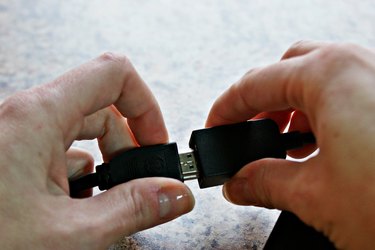
Buy a TV tuner card either online or from a local electronics store. TV Tuner cards are available in a variety of formats. You can buy one which fits internally to the PC or an external one that is usually USB 2.0 compatible.
Step5
Install TV tuner card and enjoy the TV world of Media Center PC.

Tips & Warnings

  • External TV tuners aren’t usually available as a simple plug-in, but come with an installation CD to install the appropriate drivers.
  • When buying TV tuners, choose external components as they are easy to install and use.
  • Purchase standard, branded TV tuners. The warranty on cheap, non-standard products is usually limited.

Post a Comment

POST A COMMENT

Request a New How-To Article

Looking for more How To information? Chances are there’s an eHow member who knows how to do what you’re looking to do. Submit an article request now!

eHow Article:  How to Determine if I need a TV Tuner for a Media Center PC

eHow Computers Editor

eHow Computers Editor

Category: Computers

Articles: See my other articles

Related Ads