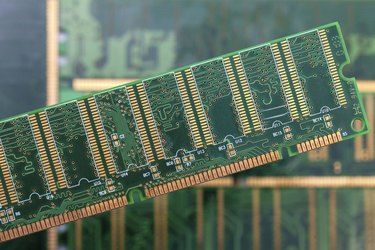
When you buy a new computer, one of the specifications you should consider is the amount of Random Access Memory (RAM) it has. But why? What is RAM and how does it affect your computing experience?
It's’ all about speed
Video of the Day
First of all, RAM--physical memory--is where your computer stores temporary information while the PC is turned on. It affects how fast your computer is in two ways--both by how much memory you have and the memory's rated speed.
Video of the Day
Certain tasks require more memory than others
Certain computer processes use more memory than others. Microsoft Word, for example, doesn't require much of a memory footprint to generate its documents. But if you're playing a videogame or trying to edit photos or video, the data rate can be incredibly high. And running several programs at once can use additional RAM as well.
Case in point: If you are only running Microsoft Word and have 2GB of RAM--more than enough for that particular program--your computer won't be any faster if you upgrade to additional memory. It already has all the memory it needs.
Static RAM vs. Dynamic RAM
You might hear about two kinds of RAM: Static (SRAM) and Dynamic (DRAM).
Static RAM and dynamic RAM are very different kinds of technology. SRAM is a very fast kind of memory that stores data without the need for the computer to constantly refresh its stored data. In contrast, dynamic RAM is much slower because the system needs to rewrite its content very rapidly, over and over.
It might be helpful to understand that distinction, but from a practical perspective, you don't need to know much about SRAM; DRAM is the common kind of RAM that is used in all kinds of personal computers (both Macs and PCs).
You'll encounter a few different kinds of DRAM, though.
DDR2 and DDR3
Most modern PCs use either DDR2 or DDR3 memory. The distinction is technical and is related to the speed of the memory. DDR stands for Double Data Rate, and the specific model PC you have will work with particular kinds of DDR memory. Be sure to check the user guide or web site of your PC before you upgrade memory.
How much RAM do you need?
There's no one right answer to this question; the amount of RAM you need depends on what kinds of and how many programs you plan to run.
For example, a modest PC that only runs a web browser and word processing software can easily get by with limited amounts of memory (such as 4GB or 8GB); if you are video editing or playing graphically intensive video games, you should add extra RAM, such as 16GB.
RAM is not the critical factor
Your computer's speed depends on a few factors, and RAM is often not even the most important.
Your computer's processor (or CPU) is generally the single most important criteria. Also, the hard drive has a surprisingly large effect on the apparent speed of a PC. Computers with older mechanical drives can feel sluggish because no matter how fast the CPU and RAM, it can take a long time to open programs and load data from a spinning drive. Instead, a Solid State Drive (SSD) can make a computer extremely snappy. If you have limited funds and need to choose between upgrading to an SSD or getting additional RAM, you'll generally be better off with the SSD.