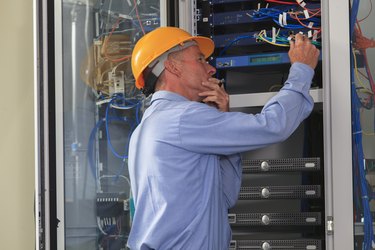
Servers perform a number of essential tasks and are a crucial part of any organization's IT infrastructure. The many complex processes that take place during an activity such as online shopping can be astounding. From security and authentication to billing and orders, the purchase could not take place without several powerful servers handling the load.
The Function of a Server
Video of the Day
The basic function of a server is to listen in on a port for incoming network requests, and a good demonstration of this is the interaction between a Web server and browser. Although to a user the process is instantaneous, or nearly so, when he clicks a link while surfing the Web, several things are taking place behind the scenes: the request for the Web page is transmitted to the corresponding Web server, the server fetches and assembles the Web page and retransmits it using a protocol like HTTP, and, finally, the user's browser receives the data, converts it, and displays the page to him.
Video of the Day
Understanding the Technology
Depending on the type of server being set up, a server-class machine with specialized hardware is usually needed. Rather than a hard drive like most desktops have, servers use a data storage system known as Redundant Array of Inexpensive Disks, or RAID for short. As the name implies, RAID systems are actually several disk drives configured to act like one. This improves efficiency, and if one disk fails, the array continues to function with little or no loss of data. Commercial servers also need fast processors, enough RAM to service the estimated number of requests, and an uninterrupted power supply. Many organizations have redundancies built into their system to accommodate failover; that is, if one server goes down, the standby server takes over immediately.
Types of Servers
Some of the most common servers in use today are database servers, application servers, mail servers and Web servers. As the name indicates, a database server provides the services and connections for storing, organizing and searching enterprise data. An application server, also called middleware, is the glue that holds the entire system together; it provides the runtime environment for applications and seamlessly coordinates things between the applications and database. Without mail servers, email would not get delivered; as bad or worse to go down would be Web servers, which are what allow people to surf the Web. Other types of critical servers in use are FTP servers, print servers, proxy servers, file servers and domain-name servers, to name a few.
Setting Up a Server
Almost any computer can be set up as a server. Many people use slightly obsolete computers to set up their own network servers at home using operating systems like Linux that aren't resource-intensive -- some don't even have graphical user interfaces -- and know that you don't need newer machines to make good servers. Some folks even set up Web servers and use it to host their own site, and the remarkable thing is that this can be done on a shoestring budget given that most of the software you will need is open source and free. Also, unless you're planning on having Web traffic approaching that of Amazon or Google, an old computer should be powerful enough for your server needs. There are some good, easy to understand tutorials on the Web to help you get started (see links in Resources).