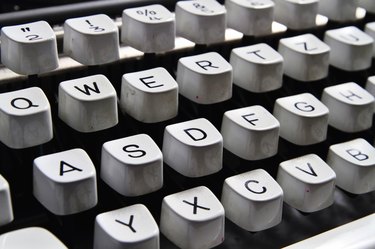
Although your computer's keyboard owes much to its low-tech ancestor, the typewriter, important differences distinguish the two. The keyboard, for example, has many keys devoted to computing actions the typewriter never had. The devices are very different mechanically, and while manual typewriters have no electronic components, the keyboard's electronics are sophisticated. In addition, the typewriter is a complete, self-contained device, whereas a keyboard works only when connected to a computer. Recent innovations have made keyboards virtual -- mere images on a touch-sensitive screen.
Typewriters 101
Video of the Day
The history of typewriters goes back to the 1700s when inventors tinkered with mechanical devices that stamped letters on sheets of paper, one at a time. The first commercially-successful typewriter was the Sholes & Glidden model introduced in 1874. An important feature of this machine was the QWERTY key layout, which separated the keys of frequently-used letter pairs, possibly to keep the mechanism from jamming. As time went by, engineers improved the machinery, and jamming became rare; however, QWERTY remains by far the most common layout, although others, such as Dvorak, enable faster typing. Until personal computers took their place, typewriters were essential tools for business, school, and nearly anywhere serious writing was done.
Video of the Day
Mechanics and Feel
Completely mechanical typewriters took a fair amount of effort, tiring and cramping finger muscles after hours of use. Electric typewriters used light-touch electrical contacts for keys, easing finger strain. Modern computer keyboards take a very low effort and have little feel; the keys are thin, delicate plastic parts that move little compared to earlier versions. Many gaming enthusiasts and other heavy keyboard users have recently gone back to more classic designs that have more satisfying, physical clicks when typed on.
Function, Control and Navigation Keys
Typewriters have a few keys that don't directly make typed letters, including the Return and Tab keys. Computer keyboards, on the other hand, have many keys that only computers need. Examples include the function keys, Ctrl, and Alt, Print Screen and Scroll Lock. In addition, keyboards have arrow keys used to move a cursor around the screen as well as Home, Page Down and End keys to position the cursor on a word processing document.
Virtual Keys
Found in smartphones, tablets and information kiosks, virtual keys take the computer keyboard a step further, eliminating physical keys entirely in favor of graphical buttons on a touch-sensitive screen. Virtual keys appear only when needed, freeing precious space on a small screen. In an instant, a virtual keyboard can take on the appearance of a traditional keyboard, special symbols, foreign-language characters or emoticons. The projection keyboard is a variation of this, using patterns of laser light projected on a table or desktop; a separate device detects where your fingers land, turning any flat surface into a keyboard.