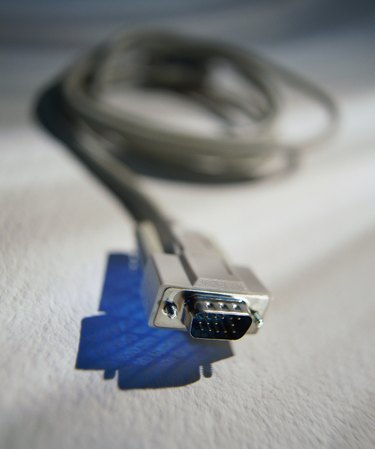
In traditional desktop computer setups, a cable connects a computer to a monitor. A video graphic array (VGA) cable carries analog signals and supports video resolutions up to and including 640 x 480. A super video graphic array (SVGA) cable carries analog signals and supports resolutions up to and including 800 x 600. SVGA is also known as enhanced or ultra VGA. Most SVGA cables support far higher display resolutions than the 800 x 600 standard.
Features
Video of the Day
VGA and SVGA cables have plugs with pins arranged in three staggered rows: The first and last rows have 5 pins and the middle row, with only 4 pins, appears to have a missing pin. But no pin is missing. This 14-pin configuration is the standard configuration, and these cables plug into high-density, 3-row, 15-hole VGA ports, or sockets, on computer monitors, other display devices and adapters. It's impossible to tell the difference between unlabeled VGA and SVA cables just by looking. If a SVGA cable is connected to a compatible display device and computer graphics card, a resolution of 800 x 600 or better should be available.
Video of the Day
Size
Thicker, unlabeled cables that are more likely to be SVGA than are thinner ones. This is primarily because SVGA cables usually have much more shielding than do VGA variants. In addition, to help eliminate interference and signal degradation, SVGA cables usually have ferrite beads. Although not a guarantee, the diameter of a cable can often be a measure of quality. In most cases, the thicker the cable, the better the quality.
Significance
SVGA, which requires more video memory and computer graphics capabilities than VGA, supports up to16 million colors. With VGA and its maximum resolution of 640 x 480, only 16 colors are supported. VGA monitors are now obsolete. The Video Electronics Standards Association (VESA), a consortium of video adapter and monitor manufacturers, develops standards for SVGA. Many computers, monitors and even televisions still support SVGA connections. Nevertheless, the introduction of more advanced video standards such as DVI and HDMI have made SVGA technology virtually obsolete with all but legacy systems.
Cable Quality
High-resolution signals carried for long distances requires better cable than lower resolution signals carried over shorter distances. When transmitting high-resolution images over distances shorter than 5 feet, a low-cost, low-spec cable is likely to be adequate. Problems occurring with poor quality cables include double images, smeared images and, possibly, no images at all.
Warnings
Before buying a new cable of any kind, check the configuration of the ports, or sockets, to be used. If they are traditional female configurations (with holes), make sure both ends of the cable are male (with pins). Check that the number of rows and the number of pins in each row match as well. MDA, CGA, and EGA monitors will not work with VGA cables. Likewise, you cannot use VGA or SVGA monitors with newer DVI and HDMI cables.