The Disk Cleanup utility built into Windows removes temporary, cache and log files created by the operating system and other programs -- never your documents, media or programs themselves. Disk Cleanup won't remove files that your computer needs, making it a safe way to free up a bit of space on your PC.
Running Disk Cleanup
Video of the Day
To start Disk Cleanup in Windows 7 or 8, right-click a hard drive in the Computer window (shortcut: Windows-E), choose Properties and click Disk Cleanup.
Video of the Day
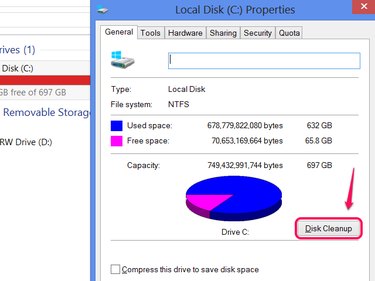
Using Disk Cleanup
Disk Cleanup displays a list of file types that you could erase, along with how much space each file type uses. By default, Windows marks a few file types for deletion, including Temporary Files. Check the boxes by any other file types you want removed and click OK to perform the cleanup.
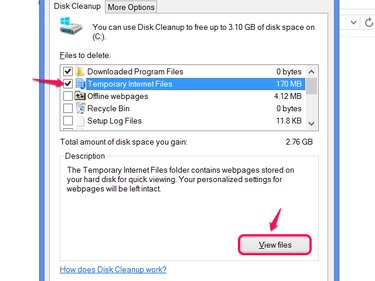
File Types
Disk Cleanup has around a dozen file type options, but they fall into a few basic categories:
- Temporary files, which store data your computer only needs for a short while, but sometimes get left behind longer than necessary. Disk Cleanup only deletes temp files that you no longer need.
- Internet Explorer cache files, including Downloaded Program Files and Offline Webpages. If you don't use IE, these items have no effect.
- Log files, including error reporting logs. Windows creates error reporting files when programs crash, but you don't need to keep them unless you're in the middle of troubleshooting a problem.
Other options include Recycle Bin, which simply empties the Recycle Bin, and Thumbnails, which erases the image and video thumbnails you see while browsing your files. Windows automatically recreates thumbnails as necessary, so this option won't have any adverse effects other than a slight delay during thumbnail creation.
Cleaning System Files
When you start Disk Cleanup in Windows 7 or above, you'll also see a button to Clean Up System Files. Click this button (and confirm the security warning, if prompted) to add additional file types to the Disk Cleanup list.
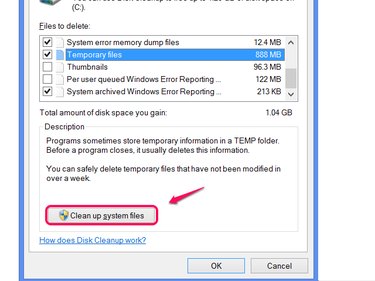
System files removable in Disk Cleanup include previous installations of Windows, upgrade logs and, most notably, an item titled Windows Update Cleanup.
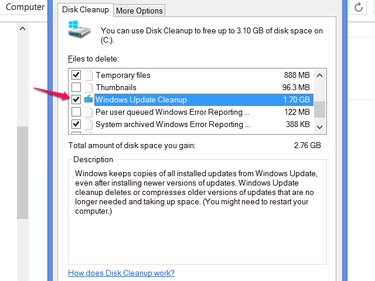
This option removes update files that your computer no longer needs, thanks to later updates replacing them. Using Windows Update Cleanup often recovers a large amount of space, but it also prevents you from uninstalling some system updates. To protect yourself in case of an update that breaks your computer, don't use this option immediately after running Windows Update -- wait a few days and through at least one reboot to make sure your PC still works properly.