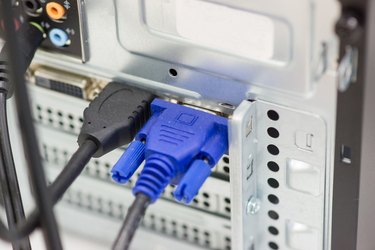
Computers use various cables and connectors to work and complete tasks. One of the most important cables to be able to recognize is the VGA cable. A VGA cable is compatible with most computers sold today.
Function
Video of the Day
A VGA cable is used to connect your computer to your computer monitor. It transfers the picture signal from the computer to the monitor so it can be displayed.
Video of the Day
Features
A VGA cable usually has a screw on either side of the plug to mount it to the matching plug on the back of a computer system. The inside of the plug has pins that fit into the pattern of holes in the back of the computer.
Identification
VGA cables can be identified by looking at the inside of the plug. Most VGA cables have fourteen pins on the inside, with a fifteenth hole showing. Sometimes other pins are missing on the inside, depending on the system's setup.
Benefits
VGA is supported by every PC sold today. With a VGA cable hooking your computer to your monitor graphics can display before any video drivers have been installed.
History
VGA was unveiled in 1987 as a new analog graphics array by IBM. After its introduction other manufacturers built upon it to increase features. It is now the most widely used in video and graphics.
Cost
To replace a VGA cable it can cost anywhere from five dollars and up. There are a variety of features available including VGA extender cords or gold-plated plugs.