Define Secondary Storage Devices
Secondary storage devices are categorized as non-volatile memory devices. They can be as small as a micro-SD card, which is less than an inch in length, to a full sized hard drive in a computer system. Use of secondary storage devices requires considerations of capacity, speed and cost, and solid state drives may be the future of secondary storage devices.
-
Volatile Memory vs. Non-Volatile Memory
-
In a computer system, information is stored and processed from two types of devices: primary storage devices and secondary storage devices. The distinguishing factor between the two types is the type of memory being used. A primary device uses volatile memory, while a secondary device uses non-volatile memory. The information on volatile memory is erased when a system is shut down, while non-volatile memory stores memory until a user deletes it. Volatile memory is more commonly known as RAM and is the memory the computer uses to open and access programs. Non-volatile memory can be any storage device.
Misconceptions
-
When the term "memory" is associated with a computer system, this technically refers to the amount of volatile memory, though it is sometimes mistaken to mean the storage capacity of the computer, or the non-volatile memory. Thus, "memory" should be associated with primary storage devices. Secondary storage devices should associated with data capacity. The term "storage device" is commonly taken to mean secondary storage devices.
-
Types
-
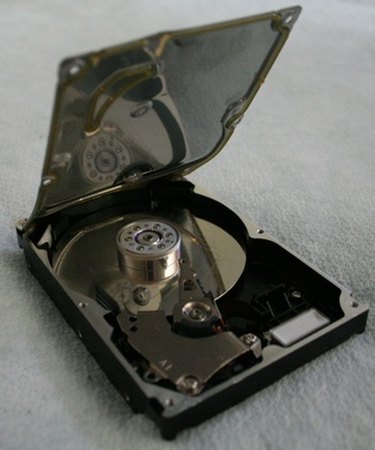
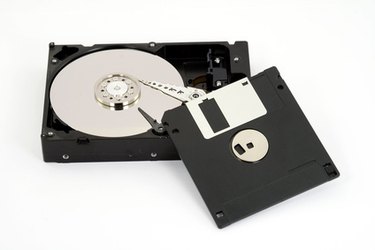
Secondary storage devices come in a variety of shapes and sizes, though the most common is the hard drive. A hard drive can either be a hard disc drive or a solid state drive. Hard disk drives use a magnetic disk that spins as a needle writes and rewrites data onto it. Solid state drives, on the other hand, store data using circuits and have no moving parts. Solid state drives are common beyond hard drives as well. Any flash drive or memory card for a digital camera or any other device uses solid-state drives, and they are all considered secondary storage devices. CDs and DVDs are also secondary storage devices, though unlike hard drives, the information on these discs cannot be erased once it is written to the disc unless specifically using a re-writtable disc.
Considerations
-
When deciding on which secondary storage devices to use in a computer system, the first thing to consider is capacity. As of March 2010, a single hard disc drive can store more than 1 terabyte of data. Solid-state drives have smaller capacities as of March 2010, but a computer system can access data from a solid state drive much faster than a hard disc drive. Speed of data access is another important consideration. Hard disc drives can often create an information bottleneck, which can slow down a computer's ability to process information. Solid-state drives allow for near instantaneous data access. Solid-state drives can also be more expensive compared to hard disc drives, at least as of March 2010. CDs and DVDs are probably the cheapest form of secondary storage per disc but has a far smaller storage capacity compared with hard drives. Thus, choosing a secondary storage device is a balance of capacity, speed and cost.
Speculation
-
As the cost of solid-state drives falls from the levels they are at as of March 2010, they will become the main type of secondary storage device being used in computer system. Use is already widespread in portable digital music devices, cellphones, memory cards, etc. Many laptops are also featuring solid-state drives. Thus, the demand for solid state drives exists, but the market is waiting until the cost becomes lower and more normalized.
-
References
- Photo Credit hard drive image by iMAGINE from Fotolia.com