Computer memory is a crucial component within computers, largely responsible for the computer's speed and performance. Random Access Memory (RAM) allows you to open and use the programs on your computer, including your operating system. There are many types and sizes available and different systems require different types. Understanding the technical specifications associated with RAM helps you determine what type and amount your computer can use.
Physical Size
Video of the Day
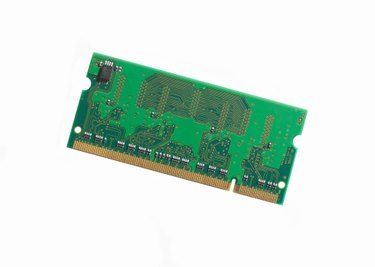
RAM modules vary in physical size based on the type of computer they're used for and the number of pins on the module. Dual Inline Memory Modules (DIMMs) with 168 pins are 5.25 inches long. DIMMs with less pins are typically smaller, with more pins meaning a physically larger module. DIMMs are commonly used in desktop computers, whereas laptops typically use Small Outline Dual Inline Memory Modules (SODIMMs). SODIMMs use the same technology but they're physically smaller, allowing them to fit in laptops.
Video of the Day
Amount
The amount is another important specification to remember. Your computer can only hold so much RAM and while going over the specified limit won't harm your computer, your PC will only use as much of it as it was designed to use. Amount is commonly measured in gigabytes (GB), though older or low-end computers may measure maximum RAM in megabytes (MB). A gigabyte contains roughly 1,000 megabytes, meaning the RAM is much faster. Be sure to consider how many memory slots your computer has, as well. Some computers have two slots to install memory, others have four and some have even more.
Type
The memory type is important because this is where the majority of RAM's compatibility issues lie. Multiple variations of Double Data Rate (DDR) memory technology are used in various computers. DDR2 is faster than DDR memory, while DDR3 memory is faster than both. If your computer requires DDR3 memory, DDR2 memory won't work.
Speed
Memory speed is frequently denoted by "PC-" followed by a number that denotes the peak transfer rate and bandwidth of that type of memory. For example, PC-2400's peak transfer rate is around 2,400 megabytes per second (MB/s). The peak transfer rate basically denotes the best performance possible for that memory. "PC2" and "PC3" simply refer to DDR2 and DDR3 memory, respectively. The specifications may list the memory under a name known as the "friendly name," which looks something like "DDR3-1066." In this case, 1066 represents the data transfer rate in millions per second. All together, the memory specification may read something like "2 GB PC3-6400 DDR3 SODIMM."