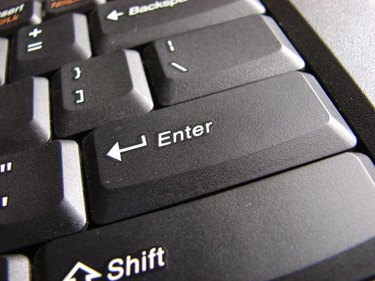
Computer Keyboard Problems

Accidents happen. Keyboards wear out. If you spill any liquids on a keyboard, switch the entire computer off. Unplug the keyboard and turn it upside down and let it self-dry. If the spilled substance was sticky, use a cotton swab dipped and squeezed in vinegar or some other gentle cleaner. Let the keyboard dry for at least 24 hours before reconnecting. Always check keyboard wire and USB connections before assuming there is a problem.

  1. Nonworking, Nonresponding, Faded or Loose Keys

    • Character keys will wear out, fade out, pop out or fall out on a keyboard because of natural use and wear and tear. The problems usually occur with keys that are used the most, like "s" and "r." Try to fix the key by pushing it back in place while the computer is inactive. Keys are available for purchase if needed, but hard-wired keyboards aren't expensive to replace if it becomes not worth fooling with. The electronic or wireless ergonomically correct keyboards range in price from $50 to $200, but are often well worth the investment. Gentle handling always works, but nothing lasts forever.

    Sticking Keys

    • Try the following recipe: Q-tips, canned air, ammonia and alcohol-free screen cleaning fluid and grease-free Blaster PTFE Dry Lube. Pry off the stuck key from the bottom using a fingernail or a tiny eyeglass screwdriver or toothpick. Spray the backside of the key and keyboard with canned air to remove dust. If that doesn't help, wet a Q-tip with the cleaning fluid and gently swab the small parts with it and inside the key. Never spray or pour cleaning fluid (it is OK to spray on the dry lube, however) directly into a keyboard and make sure no cotton wisps are left after swabbing. Replace the key, but don't press it down too hard or it could split or snap.

    Disappearing Ink or "Chinese" Characters

    • Sticking keys can cause key strikes not to appear when typing. Keys can also produce funny-looking (sometimes referred to as "Chinese" characters) characters while typing normally. Check the language in the Keyboard Properties dialogue, check the fuse and also check the keyboard receiver.

    Repeating Character Keys

    • Reset or adjust character repetition speed or cursor blinking rate on XP computers by going to Start:::>Control panel:::>Keyboard:::>Speed:::>. There are tutorials on how to use keyboards and typing courses.

    Keyboard Driver Problems

    • Keyboard drivers do get corrupted and they have to be changed out or the drivers upgraded. The drivers can be uninstalled under the Device Manager in My Computer. Once you run the uninstall, a reboot of the computer will begin an automatic reinstall of the keyboard driver. You can also get keyboard drivers by updating the Windows software or by going to the keyboard manufacturer's website. Don't forget to use your anti-virus protection to help keep your drivers and system files from being corrupted.

Related Searches:

References

Comments

You May Also Like

Related Ads

Featured