Like the shelves in a library that store books, computers require a place to store digital data. Most computers use two types of computer storage: primary and secondary memory. Primary storage, which is temporary, is used to store programming instructions, data in use, and the results of data operations. Secondary storage is used for long-term data storage, often on external devices.
Three Types of Storage Devices
Video of the Day
Primary storage, which is also referred to as internal memory, is accessed by a computer's central processing unit (CPU). It is usually the fastest and most expensive type of memory in the computer. Primary storage uses random-access memory (RAM), cache memory, or some other specialized hardware to store data while the computer is powered on. When power is removed, RAM is wiped clean. The volatile nature of RAM means that additional storage devices are needed that continue to work when a computer is powered off.
Video of the Day
Secondary storage on a computer is provided by non-volatile devices such as hard disk drives. Even though a hard drive may be housed within a desktop or laptop, it's not considered to be primary because it's not accessed directly by the CPU. Data stored on hard disk drives and most other types of secondary storage devices is organized according to a file system. This type of storage is slower than primary storage, but it's also cheaper.
Tertiary storage is a third type of storage not typically found on a personal computer. This kind of storage device consists of high-capacity archives designed to house massive amounts of data on mountable media such as optical discs. The device typically includes a robotic arm or another mechanism that locates media containing specific data and transfers it from a storage location to a drive where the contained data can be accessed.
Storage Devices Examples
The average personal computer user mainly comes into contact with secondary computer storage devices. These include an internal hard drive and external drives that are typically connected via a standard interface like a USB cable. In the past, many computers came equipped with a drive to read and write CDs and DVDs. Today, this type of disc drive is more often connected as an external device, along with Blue-ray disc drives.
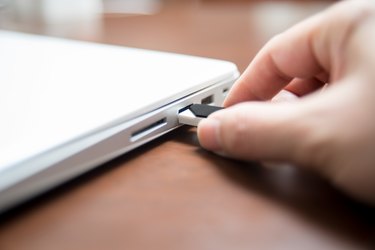
Flash drives, also known as thumb drives, have replaced CDs and DVDs as a portable storage medium. They are more compact and connect through a USB port rather than requiring a special drive. Memory cards used in digital cameras are also examples of secondary storage devices. The data stored on the card can be transferred to a computer using a built-in card reader or a reader connected via USB.
The solid-state drive (SSD) is a non-volatile storage medium that replaces the hard disk in some computers. Unlike a hard disk that has several moving components that can fail, an SSD has no moving parts. Originally expensive, the cost of SSDs has come down, and they are now often used in desktop and laptop computers.
Cloud Storage Technology
The term cloud storage refers to remote data storage done over a computer network. Instead of using an external device connected to the computer, cloud storage makes use of storage devices located elsewhere and connected by the internet or some other type of network connection. The cloud service provider manages the storage devices and makes sure the data is backed up. Many companies and personal computer users appreciate the managed aspects of cloud storage compared to having to back up data on their own using storage devices such as hard drives and flash drives.